What is networking in schools?
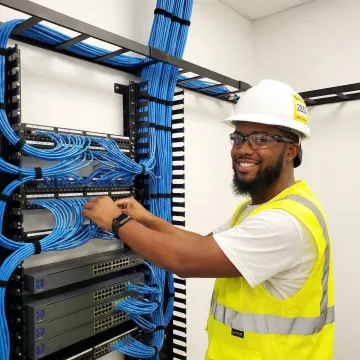
Networking in schools refers to the physical and wireless infrastructure that connects computers, tablets, interactive whiteboards, administrative systems, and other devices to the internet and to each other. This includes structured cabling (copper and fiber optic cables), network switches and routers, wireless access points, and telecommunications equipment. A well-designed school network supports digital learning tools, student information systems, library resources, security cameras, and communication platforms while providing reliable internet access across classrooms, labs, offices, and common areas.
What are AIS services in school?
AIS typically stands for Academic Intervention Services, which are educational support programs rather than network infrastructure services. However, in the context of school technology infrastructure, network and communication services support the delivery of digital AIS programs through reliable connectivity for online learning platforms, assessment tools, and collaboration software that help students receive personalized instruction and remediation.
What type of network is used in schools?
Schools typically use a hybrid network combining wired and wireless technologies. The backbone consists of fiber optic cabling connecting buildings and network closets, with Cat6 or Cat6A copper cabling distributing connections to classrooms, offices, and labs. Wireless access points mounted throughout the campus provide WiFi coverage for mobile devices. This infrastructure connects to core network switches, routers, and firewalls in secure telecommunications rooms, creating a Local Area Network (LAN) that links to the internet through a dedicated Wide Area Network (WAN) connection.
How much does K-12 network infrastructure installation cost?
Network infrastructure costs vary significantly based on school size, building layout, current infrastructure condition, desired bandwidth capacity, and specific technology requirements. Factors include the number of classrooms and end-user drops, backbone fiber requirements, wireless access point density, network hardware specifications, and compliance needs. Skybox Systems provides customized assessments and transparent pricing based on your specific campus needs and budget, ensuring you receive a scalable solution that delivers long-term value.
How long does school network installation take?
Installation timelines depend on project scope, campus size, and whether work occurs during the school year or summer break. A typical single-building upgrade might take 2-4 weeks, while comprehensive multi-building campus installations can require 6-12 weeks or more. Skybox Systems works closely with school administrators to schedule work during minimally disruptive times, often completing major installations during summer vacation. We provide detailed project timelines during the planning phase and coordinate closely with IT staff to minimize impact on instruction.
What certifications and standards do your technicians follow?
Skybox Systems employs Panduit Certified Installers and technicians trained to BICSI, NEC, FOA, EIA, and TIA industry standards. These certifications ensure that all structured cabling, fiber termination, testing, and installation work meets or exceeds manufacturer specifications and national electrical and telecommunications codes. Proper certification provides warranty protection for installed systems and ensures long-term reliability and performance.
Can you work around our school schedule?
Absolutely. Skybox Systems understands that minimizing disruption to instruction is essential. We coordinate installation schedules with school administrators and IT directors to complete work during evenings, weekends, holidays, or summer breaks whenever possible. For projects requiring access during school hours, we implement noise control measures, maintain clean work areas, and coordinate with staff to avoid interference with classes, testing periods, or special events.
Do you provide network documentation and training?
Yes. Every Skybox Systems installation includes comprehensive documentation with detailed cable labeling, network diagrams, equipment inventories, and certification test results. This documentation supports future maintenance, troubleshooting, and expansion planning. We also provide orientation sessions for your IT staff covering the installed infrastructure, equipment locations, labeling schemes, and best practices for ongoing management, ensuring your team can confidently maintain and support the network infrastructure.